Digital Audio Conversion Lab
Digital Audio Conversion Lab is a teaching instrument that lets you hear digital audio theory as well as see it. It generates its own signals, analyses audio you feed it, and draws every stage of the conversion chain as waveforms, sample stems and live spectra.
Run it in your browser above, or download the macOS app for live input from your audio interface.
Most students learn digital audio as three sentences: 44.1 kHz means 44,100 samples per second, 16-bit gives 65,536 levels, Nyquist is half the sample rate. They can recite it and still have no idea what any of it sounds like, or why a converter that measures a 20 kHz tone only twice per cycle reproduces it perfectly. This app exists to close that gap. Every claim it makes, you can hear.
There are seven modules.
01 — THE CONVERSION PATH
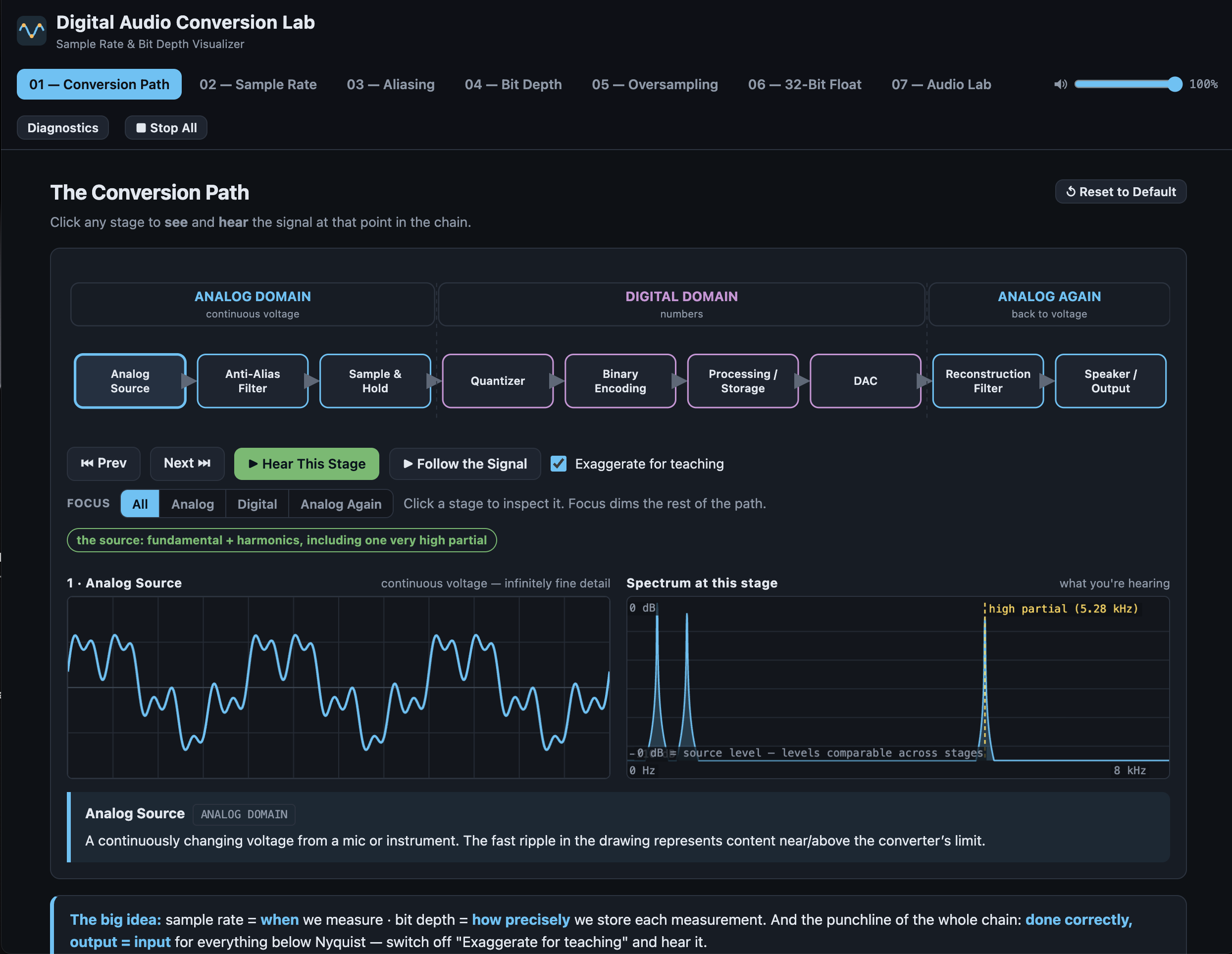
The whole chain as a clickable diagram: analog source, anti-alias filter, sample and hold, quantizer, binary encoding, processing, DAC, reconstruction filter, output. Click any stage to see the signal at that point and hear it, looping, while you walk the chain. The audio follows you from stage to stage, so you hear the tone darken at the filter, turn gritty at the quantizer, drop 6 dB at the fader, and come back clean after the DAC. A Focus control isolates the analog, digital or output section. Arrow keys step the chain hands-free during a lecture.
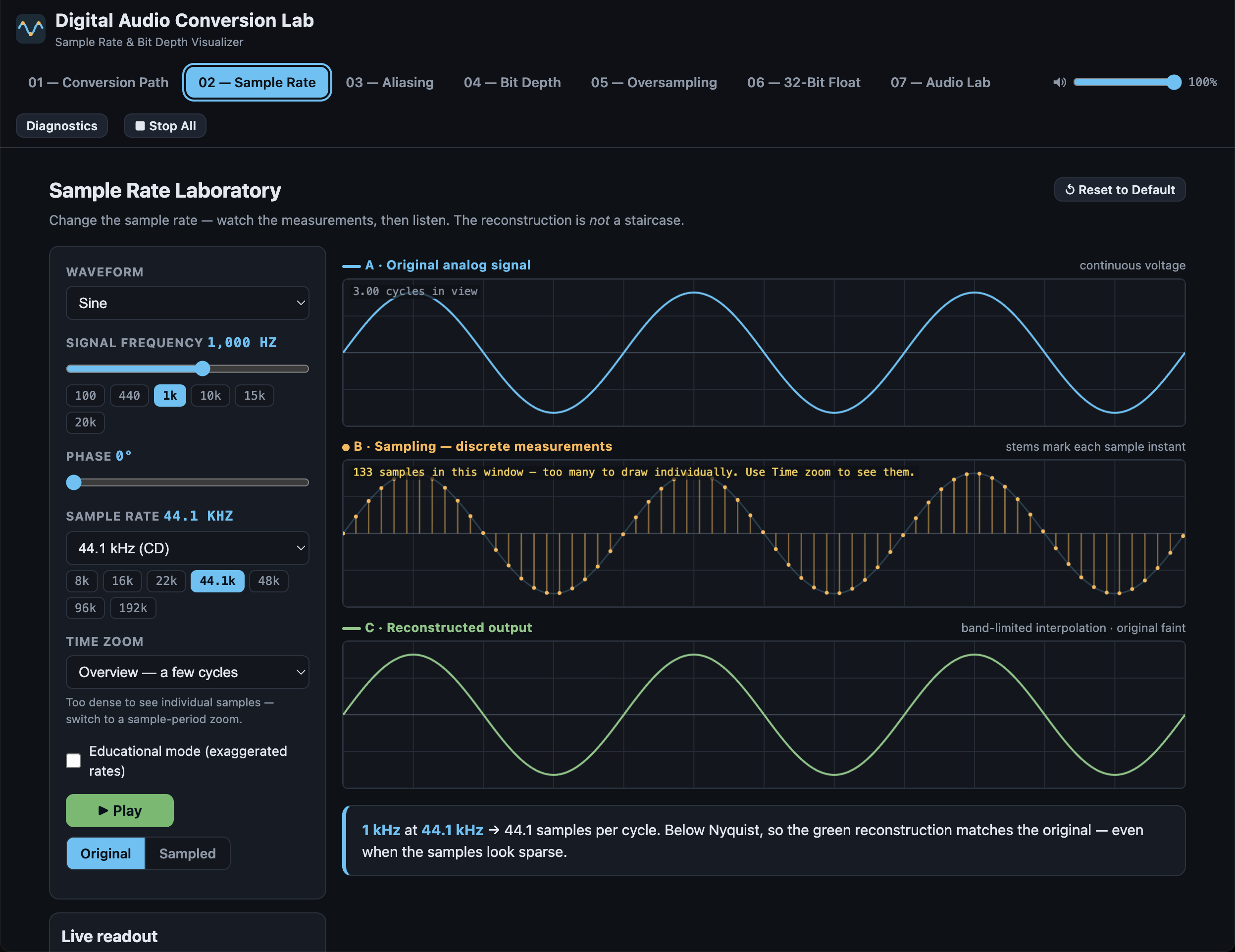
02 — SAMPLE RATE LABORATORY
Three locked graphs: the continuous signal, the sample instants, and the reconstruction. Change frequency, phase, waveform or sample rate and all three update. A Time Zoom control takes you from a few cycles down to eight sample periods, so you can watch individual samples spread apart as the rate falls — the thing a fixed-window display can never show. Educational mode drops to 2.5, 2 and 1.5 samples per cycle where the theorem visibly breaks. Listen to the original and the sampled result side by side; on harmonic waveforms you hear individual partials fold as they cross Nyquist.
03 — UNDERSAMPLING AND ALIASING
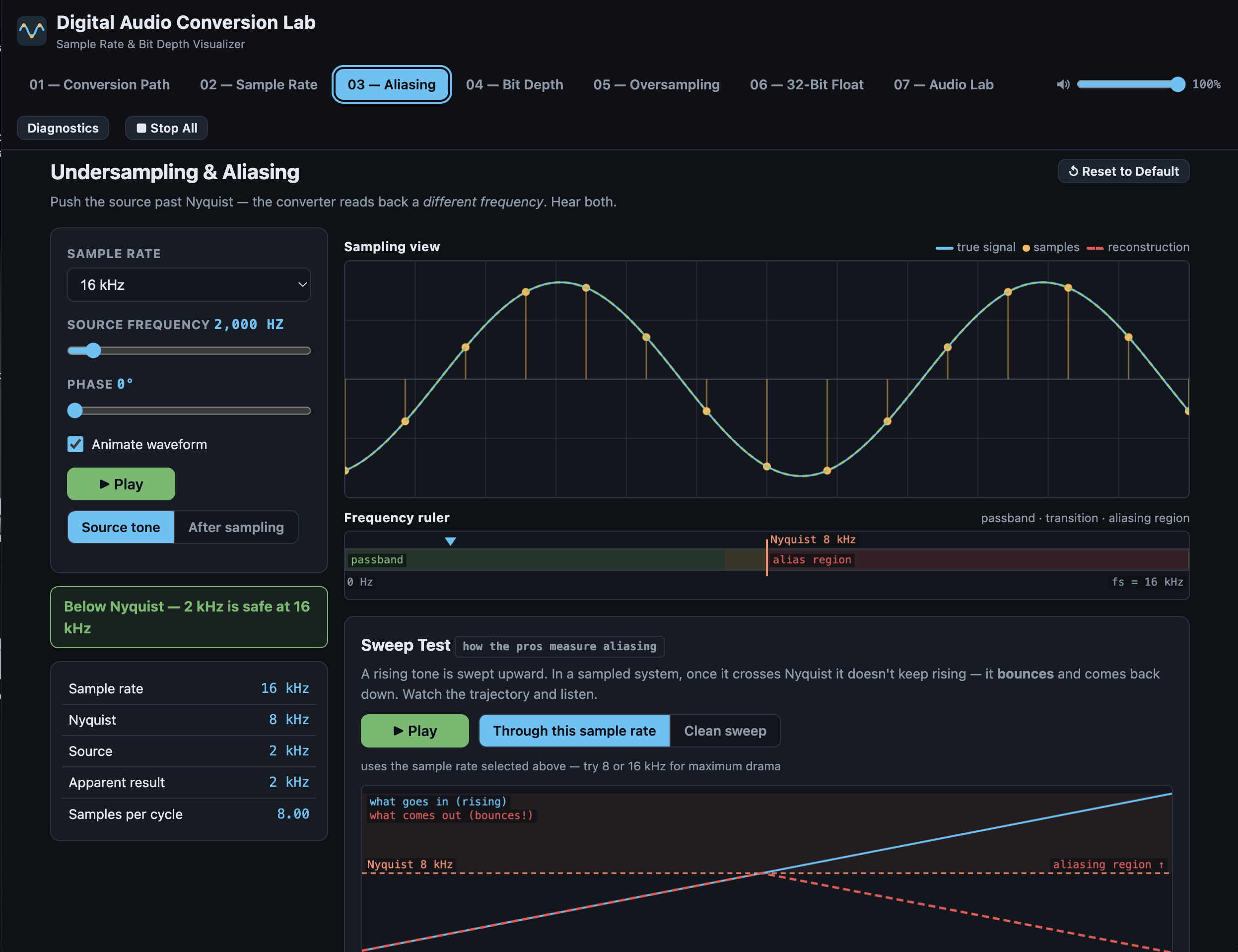
Push a tone past Nyquist and watch the reconstruction come back as a different frequency entirely, with both waveforms drawn over the same sample points. A frequency ruler shows the passband, the filter transition region and the aliasing zone. The Sweep Test is how professionals actually check a plug-in: a rising tone that climbs, hits Nyquist, and bounces back down, with a playhead tracing the fold in real time while you listen. A randomised challenge asks you to predict the alias before it animates.
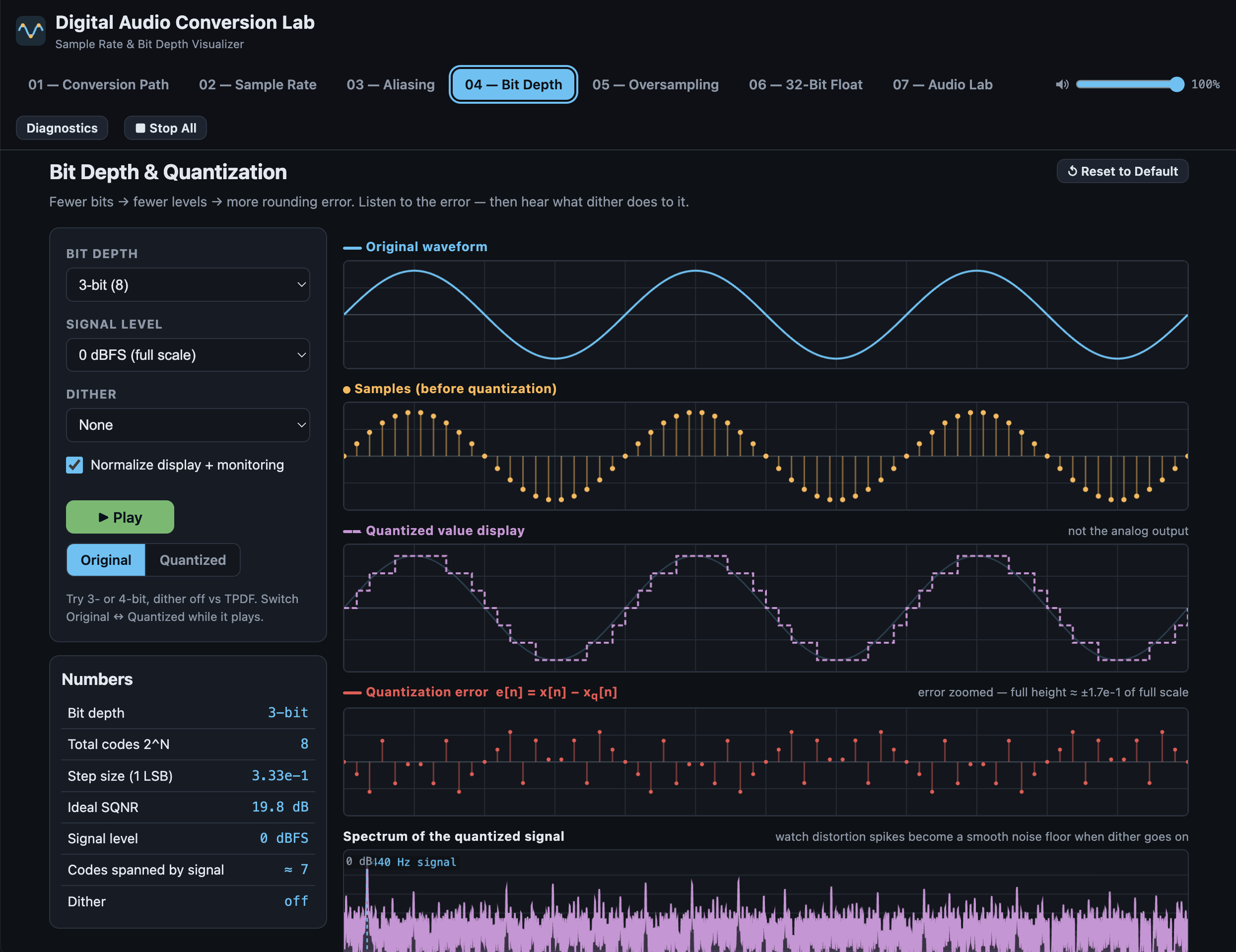
04 — BIT DEPTH AND QUANTIZATION
Four aligned views — the smooth signal, the sample values, the quantized levels, and the error signal itself. At 3-bit the allowed levels are drawn as a visible grid. The spectrum below shows what quantization actually does: with dither off, discrete distortion spikes locked to the signal; with triangular dither on, those spikes collapse into a smooth noise floor. Drop the signal to −60 dBFS and watch a 16-bit system run out of resolution the way real quiet passages do.
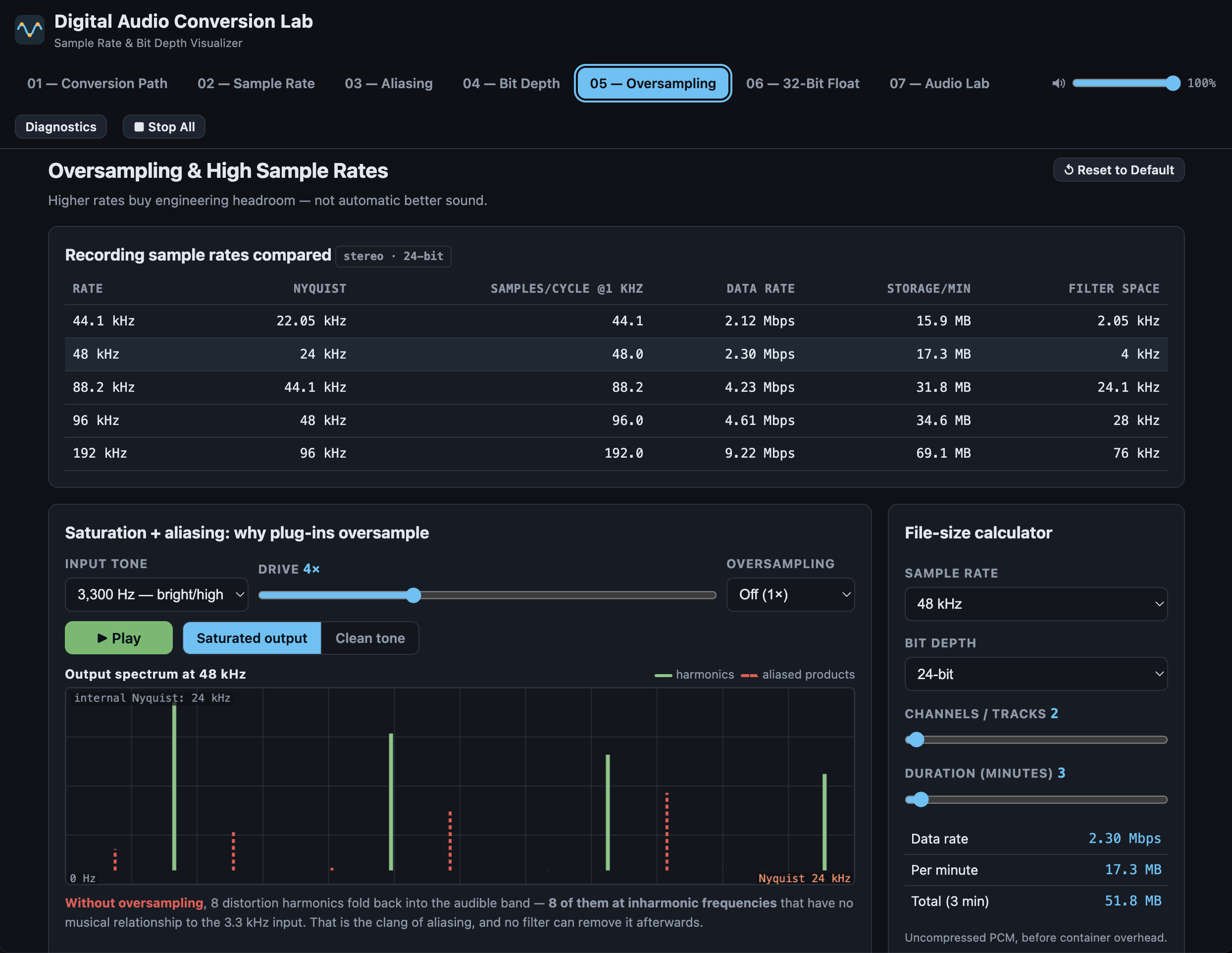
05 — OVERSAMPLING AND HIGH SAMPLE RATES
Two different ideas, kept separate. First, recording rates compared honestly: Nyquist, samples per cycle, data rate, storage, and the transition space an anti-alias filter actually needs. Second, why plug-ins oversample internally — a saturator whose harmonics climb past Nyquist and fold back as inharmonic products that have no musical relationship to the input. Switch the input tone between a bass note, a midrange tone and a bright one, and hear why saturating a hi-hat is riskier than saturating a bass. Turn oversampling on and the fold-back disappears.
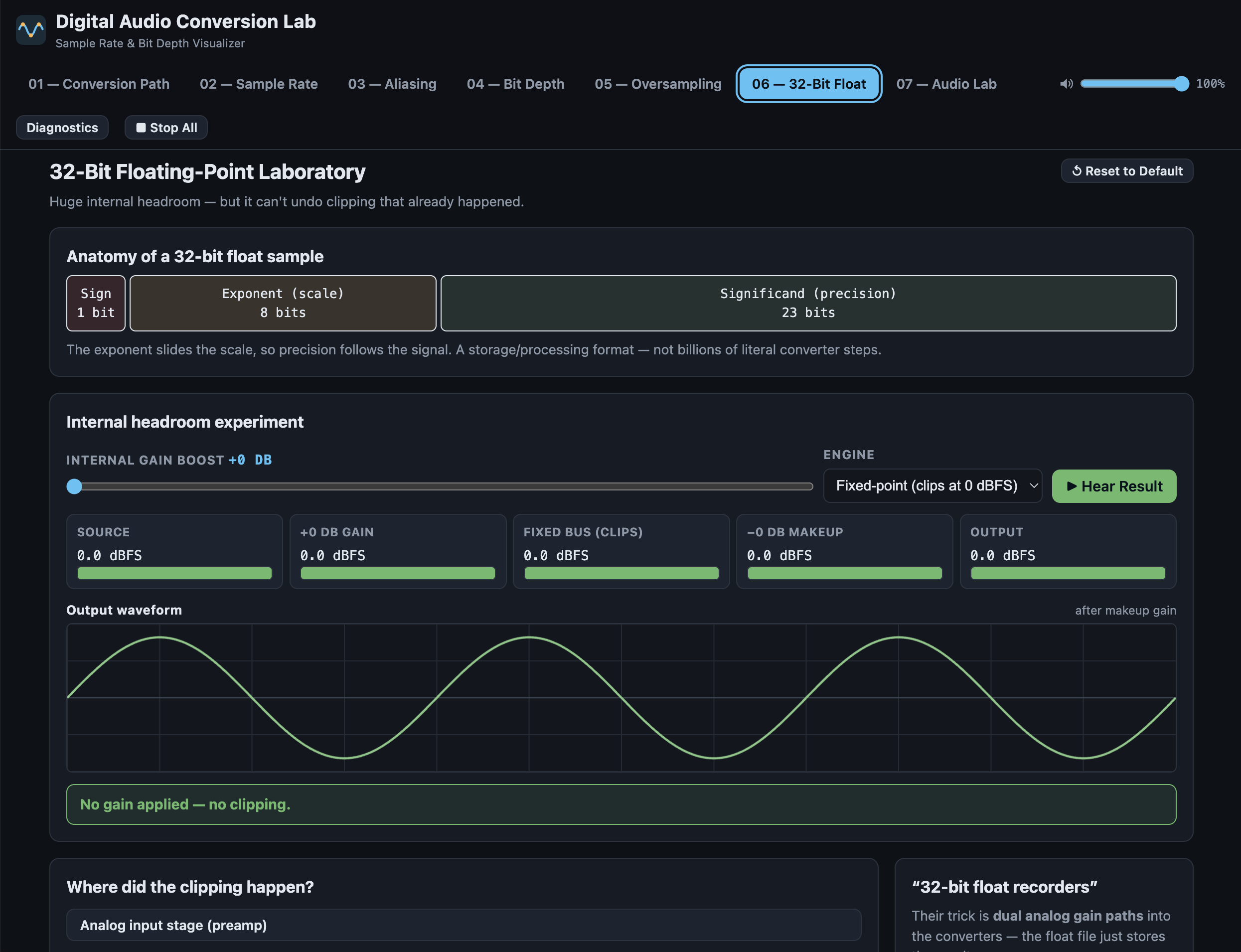
06 — 32-BIT FLOATING POINT
The headroom experiment: boost a signal well past 0 dBFS inside the mix engine, then pull it back before the output. In floating point it returns intact. In fixed point it comes back quieter and permanently flat-topped — and you can hear that turning it down never repairs it. Then decide where clipping happened: preamp, ADC, fixed-point file, float bus, or DAC. Only one of those is recoverable, and the app explains why for each.
07 — AUDIO LAB
Your own material through the whole chain. Drop in a file, use the built-in demo loop, or monitor live input from a microphone or interface. Resample down to 2 kHz, crush to 1 bit, add dither, and toggle the anti-alias and reconstruction filters independently — the first controls fold-back, the second controls whether you get a clean low-rate converter or the stair-step grit of a hardware sampler. Full file details on load, a complete analysis table comparing original against processed, an averaged spectrum on a log axis, DAW-style transport with a waveform scrub bar, and Save Processed WAV to keep the result.
HONEST ABOUT WHAT IS REAL
Every stage in Module 01 is labelled. Green means true to life — the process runs at realistic settings and the result is what a real converter does, which usually means it sounds identical to the input. Red means the same real process at deliberately exaggerated settings so you can hear it working. Switch "Exaggerate for teaching" off and the entire chain becomes transparent from input to output, because that is what a correctly functioning converter does. That distinction is deliberate. The app is built to be dramatic without being misleading.
Where the maths is an approximation, it says so. Ideal SQNR is labelled as ideal. The quantized staircase is labelled as a display of stored values, never as the analog output. 32-bit float is presented as a storage and processing format, not as converter resolution.
CONTROLS
Tabs across the top switch between the seven modules, or press 1 to 7.
Green means play, red means stop, everywhere in the app.
Stop All silences everything immediately. Master volume is top right.
In Module 01, arrow keys step through the chain while the audio keeps playing.
In Module 07, the space bar is play/stop and you can click anywhere on the waveform bar to locate.
Every module has Reset to Default.
Built for audio-production courses, recording programs, physics and acoustics classes, and anyone who has ever been told that digital audio has stair-steps. No audio is recorded, uploaded or stored — everything is processed in memory and drawn on screen. Free.
Download
Click download now to get access to the following files:
Leave a comment
Log in with itch.io to leave a comment.